
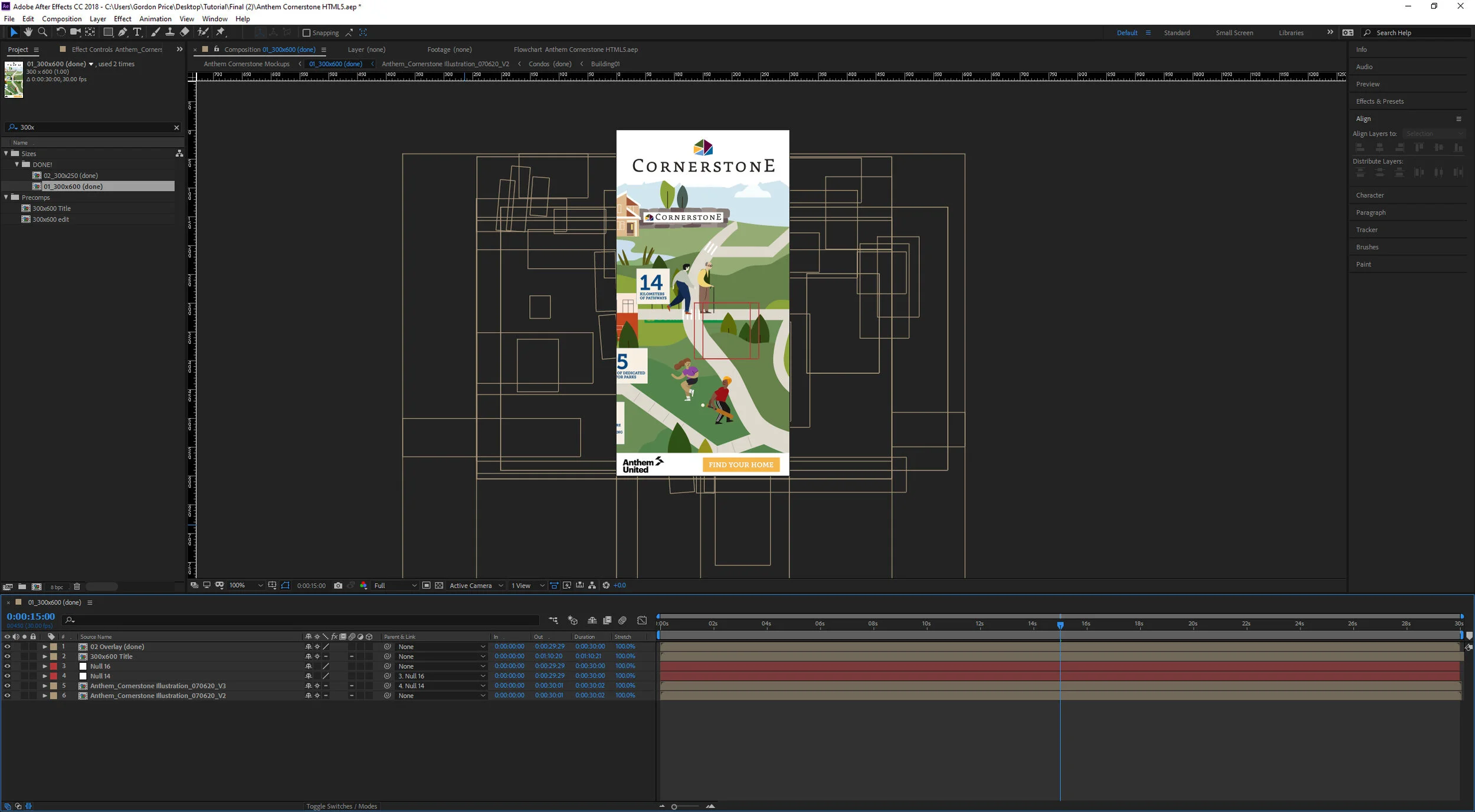
Here's a quick tutorial on making ads for google using After Effects. They’re a little challenging, as they need to be under 150KB. That means we can’t use images.
Start animating your project, using only shape layers and text. Precomps are fine, nulls are fine, adjustment layers are fine. That's about it, though. Even illustrator files can't port over using this method, as they increase file size. Something I've found useful is simply hitting Ctrl+C on an object in illustrator, creating a new shape layer in After Effects, and hitting Ctrl+V. It’s not perfect, but it works!
Here are quick links for everything you’ll need:
Bodymovin plugin - https://exchange.adobe.com/creativecloud.details.12557.bodymovin.html
HTML5 template - https://www.dropbox.com/sh/19stbv0vfcsp46x/AACj_y10jWfEN9_O20KMbHISa?dl=0
Notepad ++ - https://notepad-plus-plus.org/downloads/
HTML5 Validator - https://h5validator.appspot.com/dcm/asset
Once that's done, install the Bodymovin plugin. https://exchange.adobe.com/creativecloud.details.12557.bodymovin.html
This plugin converts shape layers and text into lines of code, which is helpful for keeping our filesize down.
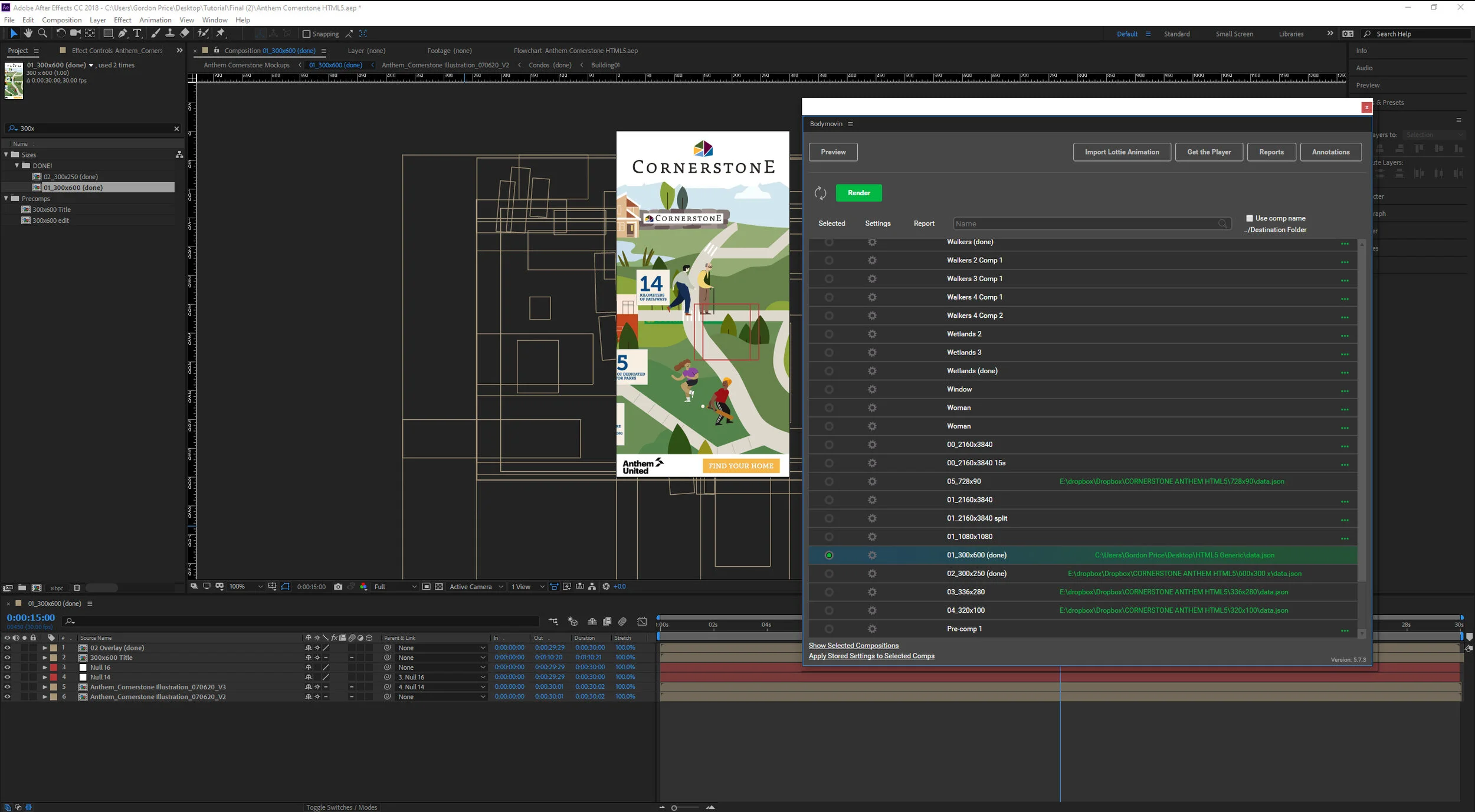
From there, go windows > extentions > bodymovin. From here, you will want to create a file named data.json, and export it to your HTML5 template folder, which you can download below.
https://www.dropbox.com/sh/19stbv0vfcsp46x/AACj_y10jWfEN9_O20KMbHISa?dl=0
For this next step, you’ll need something that can read code. Nodepad++ is light, and works perfectly for this.
https://notepad-plus-plus.org/downloads/
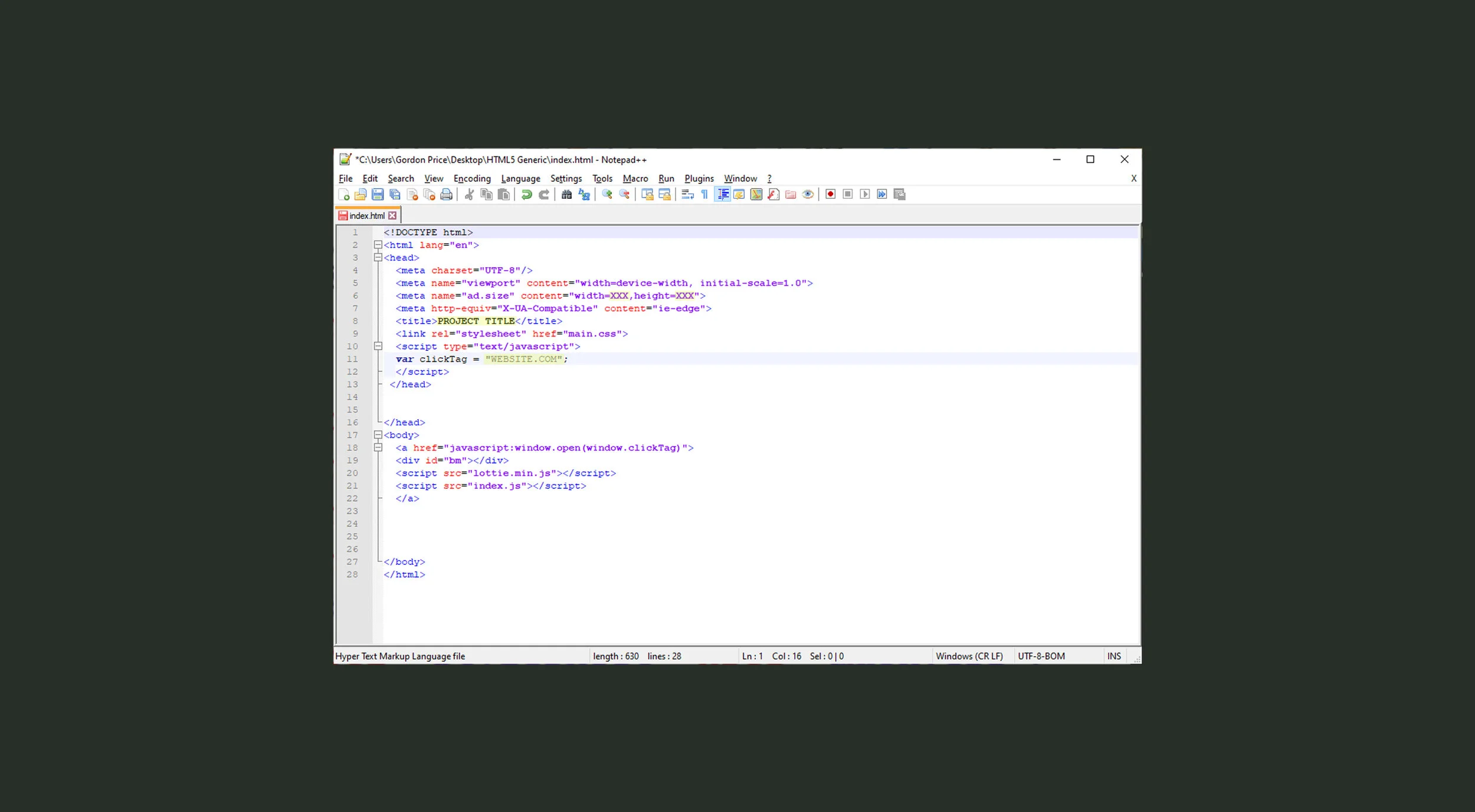
Open index.html using Notepad++. You can just drag and drop it right in.
Change the parts I have highlighted here. For this example, we’re using something that is 300x600. So the new code would look like this:
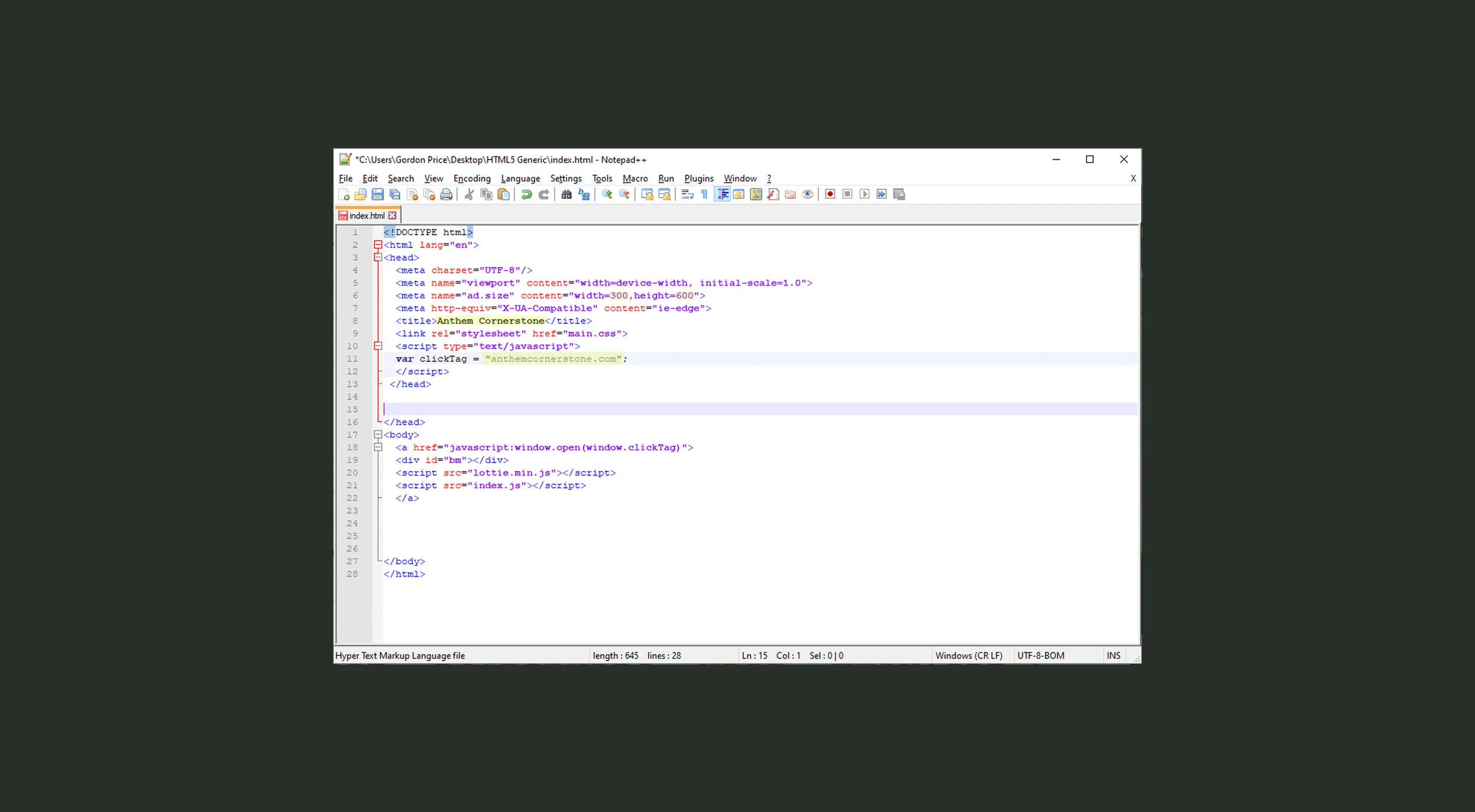
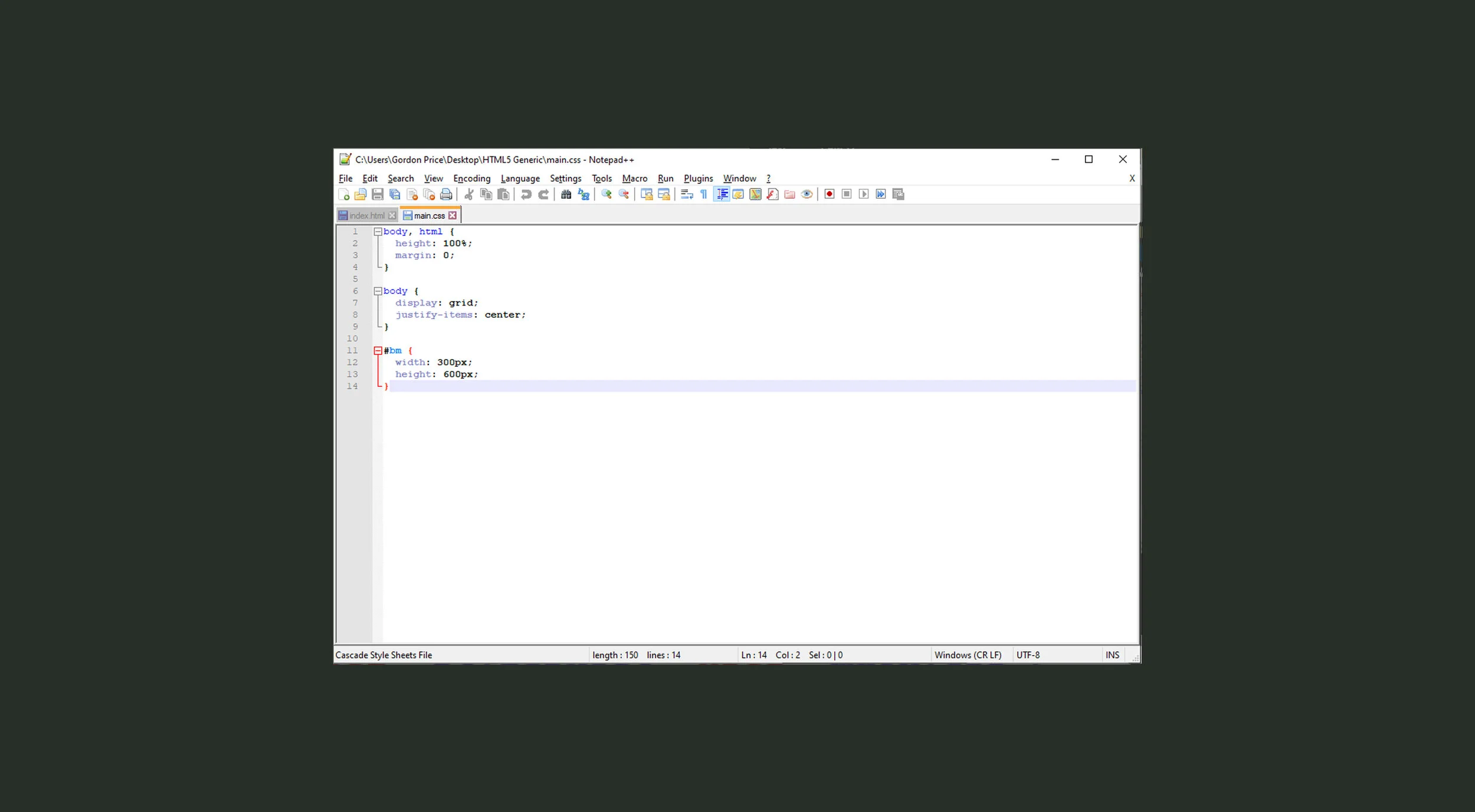
The only other file you need to edit is main.css. Just change the width and height. So for this one, 300 for width and 600 for height.
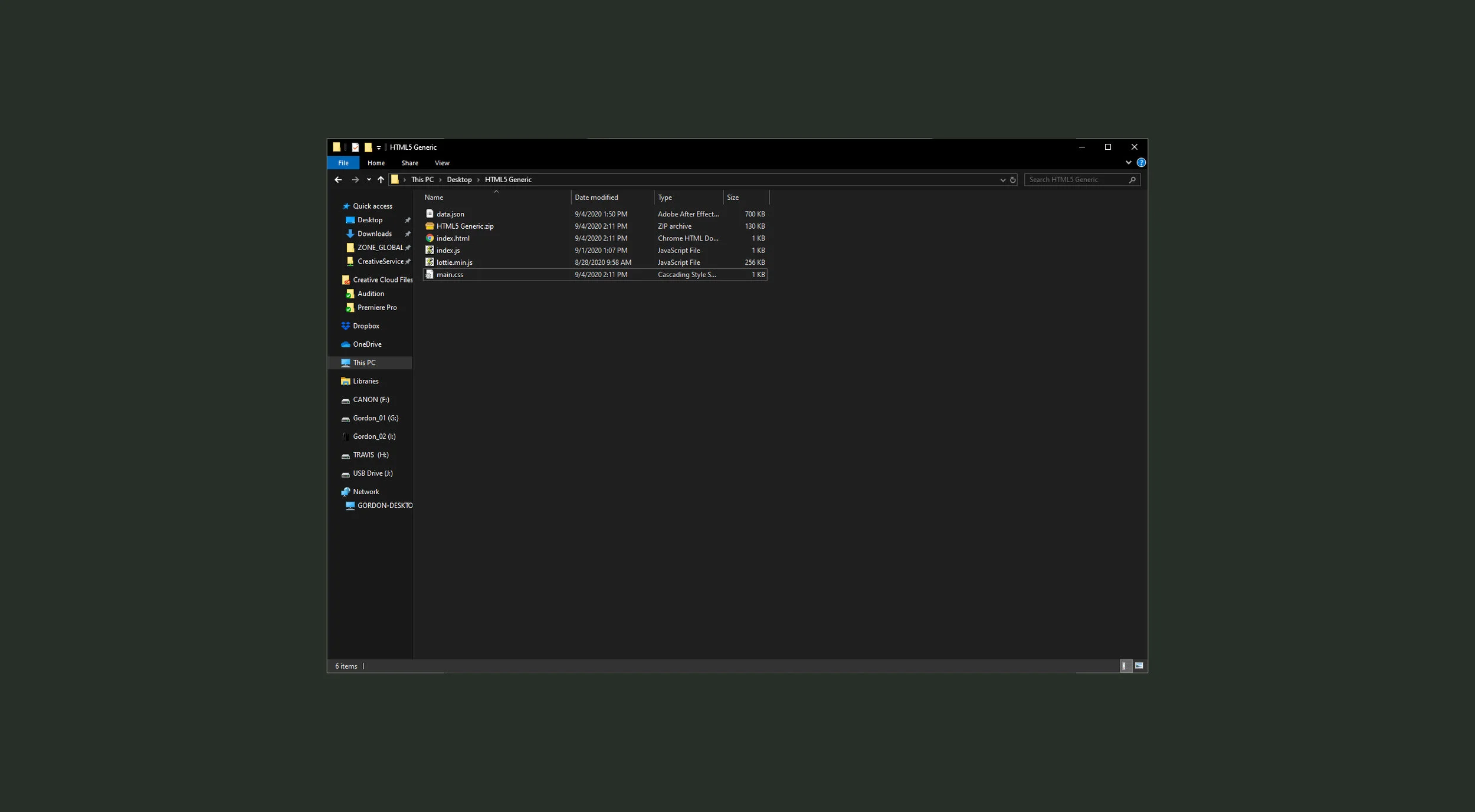
Your HTML5 folder should now look like this:
index.html - The main script. This is where you have now typed out your click through link, the resolution, and the title. This tells the zip file to run data.json.
data.json - your AE project, exported using Bodymovin.
index.js - you won’t need to touch this.
lottie.min.js - the thing that plays all of this. You don’t need to touch this either.
main.css - you need to set the resolution a second time in here. For some reason.
Zip that up, and test it out using the HTML5 validator. https://h5validator.appspot.com/dcm/asset

If it shows up as working on here without errors, it will work properly on the Google Ad side.